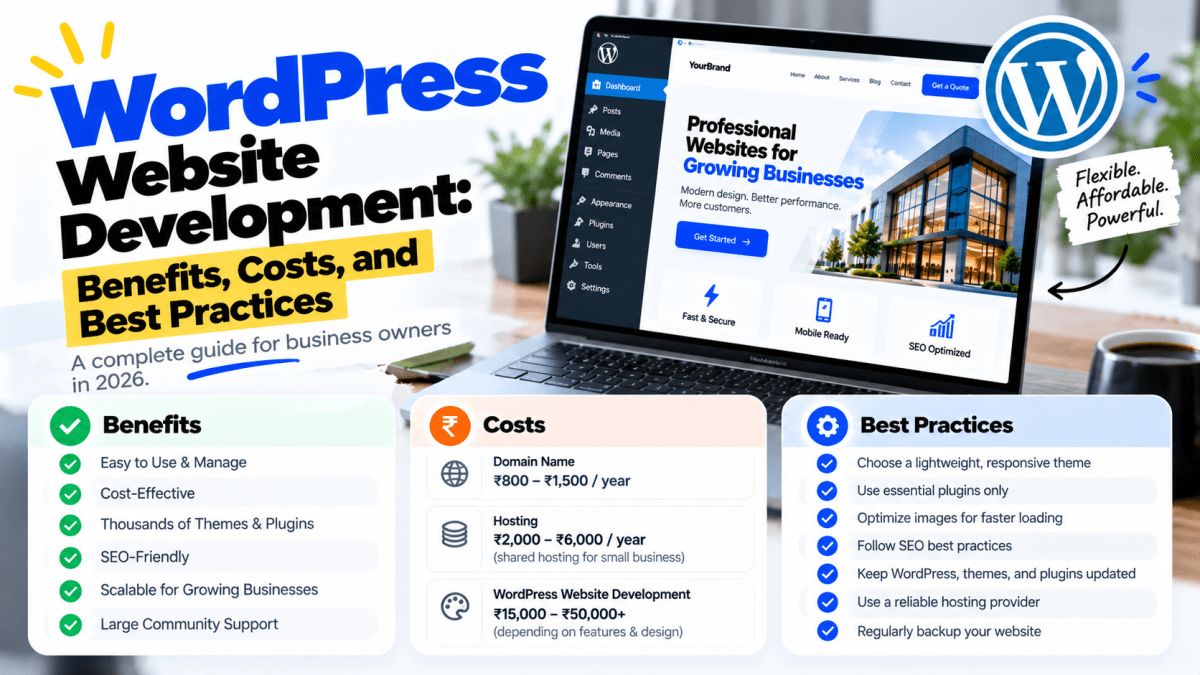
WordPress Website Development: Benefits, Costs, and Best Practices#
WordPress is one of the most widely used platforms for building websites, and for good reason.
It gives businesses a flexible way to create professional websites without developing every feature from scratch. Companies can use WordPress for corporate websites, service businesses, blogs, portfolios, news websites, landing pages, and even e-commerce stores through solutions such as WooCommerce.
But there's an important distinction:
Installing WordPress is not the same as professionally developing a WordPress website.
A business website needs more than a theme and a few plugins.
A professional WordPress website should have:
- Strong UI/UX
- Mobile-first design
- Clear navigation
- Fast performance
- Secure configuration
- SEO-friendly architecture
- Conversion-focused pages
- Optimized images
- Reliable hosting
- Proper backups
- Ongoing maintenance
When WordPress is implemented correctly, it can become a powerful business asset.
When it's poorly implemented, businesses can end up with slow pages, plugin conflicts, security problems, poor mobile experiences, and a website that doesn't generate enough leads.
In this guide, we'll cover everything businesses should know about WordPress website development, including benefits, costs, features, development process, SEO, security, performance, maintenance, common mistakes, and best practices.
What Is WordPress Website Development?#
WordPress website development involves designing, building, customizing, optimizing, and maintaining a website using the WordPress content management system.
It can range from a simple business website to a highly customized digital platform.
A typical WordPress development project may include:
- Website planning
- Information architecture
- UI/UX design
- WordPress installation
- Theme development or customization
- Page development
- Plugin configuration
- Custom functionality
- Contact forms
- SEO setup
- Analytics
- Security configuration
- Performance optimization
- Mobile optimization
- Testing
- Deployment
- Maintenance
The exact scope depends on the business.
A five-page local business website and a large content platform should not be treated as the same project.
Why Do Businesses Choose WordPress?#
There are several reasons WordPress remains attractive to businesses.
1. Easy Content Management#
One of the biggest advantages of WordPress is that business owners and marketing teams can manage website content without constantly depending on developers.
You can generally create and update:
- Pages
- Blog posts
- Images
- Categories
- Products
- FAQs
- Testimonials
- Other content types
This makes WordPress particularly useful for businesses that publish content regularly.
2. WordPress Is Highly Flexible#
WordPress can be used for many types of websites.
For example:
Business Websites#
- Company information
- Services
- About
- Contact
- Portfolio
Service Businesses#
- Service pages
- Booking
- Lead forms
- Testimonials
- Location information
E-commerce#
- Products
- Categories
- Cart
- Checkout
- Payments
Content Websites#
- Blogs
- News
- Guides
- Resources
- Publications
Professional Websites#
- Consultants
- Lawyers
- Agencies
- Architects
- Designers
- Coaches
The platform is flexible enough to support a wide range of business models.
3. WordPress Can Be Customized#
A common misconception is that WordPress websites must look like templates.
They don't.
Developers can create:
- Custom themes
- Custom page layouts
- Custom blocks
- Custom plugins
- Custom post types
- Custom integrations
- Custom dashboards
- Custom functionality
A professionally developed WordPress website can therefore look and behave very differently from a standard template website.
4. WordPress Is Strong for SEO#
WordPress provides a strong foundation for search-engine optimization.
However, installing WordPress does not automatically make a website SEO-friendly.
Good SEO still requires:
- Keyword research
- Search intent analysis
- Proper page structure
- Technical SEO
- Internal linking
- Metadata
- Image optimization
- Fast performance
- Mobile usability
- Quality content
- Structured data where appropriate
- Backlink strategy
WordPress makes many SEO tasks easier, but strategy and implementation still matter.
5. WordPress Is Excellent for Content Marketing#
If your business wants to generate organic traffic through content, WordPress can be a strong platform.
A business can publish:
- Blog posts
- Tutorials
- Case studies
- Industry guides
- News
- Comparison articles
- FAQs
- Resources
This can help build a long-term organic search strategy.
For example, a web development company might create content around:
- Website development
- WordPress
- Shopify
- SEO
- E-commerce
- Digital marketing
- AI automation
Each article can target a specific search intent and internally link to relevant service pages.
6. WordPress Can Support Lead Generation#
A business website should do more than provide information.
It should help generate business.
WordPress can be configured with:
- Contact forms
- Quote forms
- Lead forms
- WhatsApp integration
- Call buttons
- Booking systems
- Newsletter forms
- CRM integrations
- Email notifications
- Analytics
This allows the website to become part of the company's sales process.
7. WordPress Can Be Cost-Effective#
Compared with building a complete website platform from scratch, WordPress can reduce development time and initial complexity.
Businesses don't need to build everything from zero.
The platform already provides many foundational capabilities.
However, professional development still has a cost.
You may need to pay for:
- Design
- Development
- Premium themes
- Plugins
- Hosting
- Domain
- Security
- SEO
- Content
- Maintenance
The goal should be to optimize the total cost rather than simply choosing the cheapest developer.
How Much Does a WordPress Website Cost in India?#
There is no single WordPress website price.
The cost depends on the scope and quality of the project.
A rough business-oriented range might look like this:
| Website Type | Typical Project Range |
|---|---|
| Basic informational website | ₹10,000–₹25,000 |
| Professional business website | ₹25,000–₹60,000 |
| Custom WordPress website | ₹50,000–₹1,50,000+ |
| WooCommerce store | ₹40,000–₹1,50,000+ |
| Advanced WordPress platform | ₹1,00,000–₹3,00,000+ |
| Enterprise/custom implementation | ₹3,00,000+ |
These are broad market-oriented ranges, not fixed prices.
Actual pricing depends on:
- Number of pages
- Custom design
- Development complexity
- Content
- Animations
- Integrations
- E-commerce
- Payment gateways
- Booking systems
- SEO
- Hosting
- Security
- Performance requirements
- Ongoing maintenance
A ₹15,000 website and a ₹75,000 website may both technically be "WordPress websites," but the scope and quality can be dramatically different.
What Affects WordPress Website Development Cost?#
1. Number of Pages#
A five-page website is simpler than a 50-page website.
Typical pages may include:
- Home
- About
- Services
- Individual service pages
- Portfolio
- Blog
- Contact
- FAQ
- Privacy Policy
- Terms
More pages generally mean more design, development, content, and testing.
2. Custom Design#
Using a pre-built theme can reduce development time.
Custom UI/UX design requires more work but can create a more distinctive brand experience.
Custom design may include:
- Wireframes
- Desktop designs
- Mobile designs
- Design system
- Custom components
- Interactive prototypes
3. E-commerce Functionality#
An online store introduces additional complexity.
You may need:
- Product management
- Categories
- Product filters
- Cart
- Checkout
- Payments
- Shipping
- Coupons
- Taxes
- Order management
- Customer accounts
- Email notifications
This naturally increases development requirements.
4. Integrations#
Integrations can significantly affect project complexity.
Examples include:
- Payment gateways
- CRM
- Email marketing
- Google Analytics
- Booking platforms
- Shipping systems
- Inventory systems
- ERP
- APIs
- Social platforms
The more systems involved, the more testing and maintenance may be required.
5. Custom Functionality#
A standard website might require a contact form.
A specialized website might need:
- Customer login
- User dashboards
- Membership
- Subscription billing
- Custom calculators
- Booking systems
- Document uploads
- Automated notifications
- Custom search
- Advanced filtering
These requirements can move a project from standard WordPress development into custom application development.
WordPress Website Development Process#
A professional WordPress project should follow a structured process.
Step 1: Business Discovery#
Before touching WordPress, understand:
- Business model
- Target audience
- Competitors
- Services
- Products
- Goals
- Conversion actions
- Content
- Brand positioning
Technology should come after requirements.
Step 2: Website Architecture#
Define the website structure.
For example:
Home
→ Services
→ Service 1
→ Service 2
→ Service 3
→ About
→ Portfolio
→ Blog
→ Contact
This architecture should support both users and search engines.
Step 3: Wireframing#
Before visual design, determine how information will be arranged.
Wireframes help define:
- Navigation
- Content hierarchy
- CTAs
- Sections
- Forms
- User flow
This prevents expensive design changes later.
Step 4: UI/UX Design#
Create the visual experience.
Consider:
- Brand colors
- Typography
- Buttons
- Cards
- Images
- Spacing
- Navigation
- Mobile layout
- Desktop layout
The design should be consistent across the website.
Step 5: WordPress Development#
Now the design becomes a functional website.
Development may include:
- Theme configuration
- Custom theme development
- Templates
- Components
- Plugins
- Custom functionality
- Forms
- APIs
- Database configuration
Step 6: Content Implementation#
Add:
- Website copy
- Images
- Videos
- Products
- Services
- Blog content
- Testimonials
- FAQs
Content shouldn't simply be copied into pages.
It should be structured for readability and conversions.
Step 7: SEO Implementation#
SEO should be considered before launch.
Important elements include:
- Page titles
- Meta descriptions
- Heading structure
- URL structure
- Internal linking
- Image alt text
- XML sitemap
- Canonical URLs where appropriate
- Robots directives
- Structured data where appropriate
- Mobile usability
Step 8: Performance Optimization#
Optimize:
- Images
- CSS
- JavaScript
- Fonts
- Caching
- Database
- Hosting
- Third-party scripts
Performance should be tested rather than assumed.
Step 9: Security Configuration#
Security measures may include:
- Strong authentication
- Secure administrator accounts
- Updates
- Backups
- Firewall/security controls
- Limited permissions
- Secure hosting
- Monitoring
Never treat website security as something to do after a breach.
Step 10: Testing#
Test the website across:
- Desktop
- Mobile
- Tablet
- Major browsers
Test:
- Forms
- Links
- Navigation
- Search
- Checkout
- Payments
- Images
- Buttons
- Integrations
Step 11: Launch#
Before launch:
- Configure domain
- Configure hosting
- Install SSL
- Verify redirects
- Check indexing configuration
- Submit sitemap where appropriate
- Connect analytics
- Test forms
- Create backups
Then monitor the website after launch.
WordPress Website Best Practices#
Building the website is only part of the job.
The implementation needs to follow good practices.
1. Use a Lightweight Theme#
Avoid themes that include dozens of features your business doesn't need.
More functionality can mean:
- More code
- More assets
- More maintenance
- More potential conflicts
Choose the architecture based on requirements.
2. Limit Plugins#
Plugins are useful.
But installing plugins for everything can create problems.
Before installing a plugin, ask:
Do we actually need this?
Then consider:
- Performance
- Security
- Updates
- Compatibility
- Developer reputation
- Support
3. Keep WordPress Updated#
Updates can include:
- Security fixes
- Bug fixes
- Compatibility improvements
- Performance improvements
Don't let a business website run years behind on core software.
4. Keep Plugins Updated#
The same applies to plugins.
Outdated plugins can create compatibility and security risks.
But don't blindly update everything on a live production site.
For important websites, updates should ideally be tested before deployment.
5. Use Reliable Hosting#
Hosting has a major influence on performance and reliability.
Look for:
- Good server performance
- Reliable uptime
- SSL
- Backups
- Security features
- Scalable resources
- Good support
The cheapest hosting plan isn't necessarily the best business decision.
6. Optimize Images#
Images are often responsible for large portions of page weight.
Use:
- Appropriate dimensions
- Compression
- Modern formats where suitable
- Responsive images
- Lazy loading where appropriate
Don't upload a 5 MB photograph when a much smaller version can provide the same visual quality.
7. Use a CDN When Appropriate#
A CDN can help deliver static resources efficiently to users in different geographic locations.
This can be particularly useful for businesses serving customers across multiple regions.
8. Optimize the Database#
Over time, WordPress databases can accumulate unnecessary data.
Depending on the website, optimization may involve reviewing:
- Revisions
- Transients
- Spam comments
- Unused data
- Database tables
Database optimization should be performed carefully, preferably with backups.
9. Use Strong Authentication#
Administrator accounts should use:
- Strong passwords
- Unique credentials
- Two-factor authentication where appropriate
- Limited user permissions
Don't give every employee administrator access.
Use the minimum permissions necessary.
10. Create Regular Backups#
A backup is not a luxury.
It is part of basic website operations.
Ideally, backups should cover:
- Database
- Website files
- Uploads
- Configuration
And backups should be stored separately from the primary website environment.
WordPress and Mobile-First Design#
Your WordPress website should be designed for mobile users from the beginning.
Check:
- Navigation
- Typography
- Buttons
- Forms
- Images
- Menus
- Tables
- Product pages
- Checkout
- Pop-ups
A website that technically "fits" on a phone isn't necessarily mobile-friendly.
It should be easy to use.
WordPress and Website Speed#
A professional WordPress website should be built with performance in mind.
Potential optimization areas include:
Images#
Compress and resize them.
Plugins#
Remove unnecessary plugins.
JavaScript#
Reduce unnecessary scripts.
CSS#
Avoid loading excessive styles.
Fonts#
Limit unnecessary font files.
Caching#
Use appropriate caching strategies.
Hosting#
Use infrastructure appropriate for traffic and requirements.
CDN#
Use one where it provides meaningful benefits.
The goal isn't simply to achieve a perfect score in one testing tool.
The goal is to create a fast, stable experience for real users.
WordPress and Core Web Vitals#
Core Web Vitals provide useful metrics for understanding aspects of real-world page experience.
They include:
LCP#
Measures loading performance.
INP#
Measures responsiveness to user interactions.
CLS#
Measures visual stability.
For a good user experience, businesses should aim for strong performance across these metrics rather than obsessing over a single score.
Performance should be monitored over time because websites change.
A website that is fast today can become slow after months of new plugins, tracking scripts, large images, and content changes.
WordPress SEO Best Practices#
WordPress can provide an excellent SEO foundation, but you still need a strategy.
Build dedicated service pages#
Don't put every service on one page.
For example, a web development agency might have separate pages for:
- WordPress development
- Shopify development
- Custom web development
- SEO
- Digital marketing
This creates clearer relevance for users and search engines.
Create Useful Blog Content#
Don't publish articles simply because you need "fresh content."
Create content around actual customer questions.
Examples:
- How much does a website cost?
- WordPress vs custom website
- How long does website development take?
- How to choose a web development company
- How to improve website conversion rate
These topics can attract people at different stages of the buying journey.
Use Internal Linking#
Connect related pages.
For example:
WordPress Development
→ WordPress pricing
→ WordPress SEO
→ WordPress security
→ Website redesign
→ Custom website vs WordPress
→ Contact
Internal links help users discover relevant information and can help search engines understand website relationships.
Optimize Page Titles and Headings#
Each important page should have a clear topic.
Avoid vague headings such as:
Welcome to Our Website
Instead:
Professional WordPress Website Development for Growing Businesses
Clear language helps users immediately understand the page.
WordPress Security Best Practices#
Security should be treated as an ongoing process.
Important areas include:
- Core updates
- Plugin updates
- Theme updates
- Strong passwords
- 2FA
- User permissions
- Backups
- Secure hosting
- Malware monitoring
- HTTPS
- Login protection
Never assume that a small business website is too insignificant to be targeted.
Automated attacks don't necessarily care how famous your company is.
Common WordPress Development Mistakes#
1. Installing too many plugins#
More isn't always better.
2. Using pirated themes or plugins#
This can create serious security and legal risks.
Use legitimate software from trustworthy sources.
3. Using cheap hosting#
Poor hosting can affect performance and reliability.
4. Ignoring mobile design#
A website should be designed for smartphones as well as desktops.
5. Building without SEO architecture#
SEO shouldn't be added randomly after launch.
6. No backup strategy#
One server failure shouldn't destroy the website.
7. No maintenance plan#
A website is software.
Software requires maintenance.
8. Using generic content#
A website full of generic paragraphs doesn't differentiate your business.
9. Overusing animations#
Animations should support usability rather than distract from it.
10. No conversion strategy#
A website should make it obvious what the visitor should do next.
WordPress Website vs Template Website#
There is an important difference between:
Using WordPress
and
Using a generic template without strategic customization.
A template may provide:
- Layout
- Colors
- Sections
- Components
But your business still needs:
- Custom messaging
- Brand identity
- Proper content
- Conversion strategy
- SEO
- Mobile optimization
- Performance
- Trust signals
A professional WordPress website should feel like your business, not like a template that happens to contain your logo.
How Long Does WordPress Website Development Take?#
The timeline depends on project complexity.
A basic business website might take:
1–2 weeks
A more customized website might require:
2–6 weeks
A complex WordPress implementation may take:
6+ weeks
Factors include:
- Number of pages
- Content readiness
- Design requirements
- Custom development
- Integrations
- E-commerce
- Revisions
- Client feedback
- Testing
One of the biggest causes of delay isn't development.
It's waiting for content, approvals, images, and feedback.
What Should Be Included in a Professional WordPress Website Package?#
A good package might include:
Design#
- Custom or customized UI
- Responsive design
- Mobile optimization
- Brand implementation
Development#
- WordPress setup
- Theme configuration
- Page development
- Forms
- Required functionality
SEO#
- Basic technical setup
- Metadata
- Sitemap
- Search-console configuration
- SEO-friendly structure
Performance#
- Image optimization
- Caching
- Code optimization
- Performance testing
Security#
- SSL
- Security configuration
- Admin protection
- Backup setup
Launch#
- Domain connection
- Hosting configuration
- Final testing
- Deployment
Support#
- Bug fixes
- Updates
- Maintenance
- Technical assistance
The exact deliverables should always be defined in writing before development starts.
Questions to Ask Before Hiring a WordPress Developer#
Before hiring a freelancer or agency, ask:
1. Will the design be custom?#
Or are you simply installing a template?
2. Which plugins will you use?#
Ask why each one is necessary.
3. Who owns the website?#
Make sure ownership and access are clear.
4. Will I have administrator access?#
You should understand who controls the website.
5. Is hosting included?#
If yes, understand where and how it is hosted.
6. Is SEO included?#
Ask for specific deliverables.
7. Is maintenance included?#
Clarify what's included after launch.
8. What happens if the website breaks?#
Understand support and recovery procedures.
9. Will the website be mobile-friendly?#
Ask to see previous work.
10. How will performance be optimized?#
You should receive a technical answer, not simply "we'll make it fast."
Is WordPress Good for Small Businesses?#
Yes.
In fact, small businesses are among the groups that can benefit significantly from WordPress.
A small business may need:
- Professional online presence
- Service pages
- Local SEO
- Blog
- Portfolio
- Contact forms
- Reviews
- Lead generation
WordPress can provide these capabilities without requiring a large custom software budget.
Is WordPress Good for Startups?#
It depends on what the startup is building.
If the startup needs:#
- Marketing website
- Blog
- Landing pages
- Content
- SEO
WordPress can be an excellent choice.
If the startup is building:#
- SaaS platform
- Marketplace
- Complex application
- Customer dashboard
- Real-time product
custom application development may make more sense.
A startup should avoid spending heavily on technology that doesn't create business value.
Is WordPress Good for E-commerce?#
Yes, especially with WooCommerce.
WooCommerce can provide:
- Product management
- Shopping cart
- Checkout
- Payments
- Shipping
- Coupons
- Orders
- Customer accounts
But the right e-commerce platform depends on the business.
Consider:
- Shopify
- WooCommerce
- Custom development
based on your requirements.
When Should You Choose Custom Development Instead?#
WordPress may not be the best choice if your website requires:
- Highly complex business logic
- Large-scale application architecture
- Advanced real-time features
- Highly specialized workflows
- Complex customer portals
- Custom enterprise systems
- Large-scale marketplace functionality
In these situations, a custom or hybrid architecture may provide better long-term flexibility.
The goal isn't to force every project into WordPress.
It's to choose the right technology for the problem.
How Stitchbyte Approaches WordPress Website Development#
At Stitchbyte, we don't treat WordPress development as simply:
Install WordPress → Install theme → Add logo → Publish.
Our approach focuses on building a website around the business.
That includes:
Strategy#
Understanding your business, customers, competitors, and goals.
UI/UX#
Creating a professional visual experience designed around user journeys.
Development#
Building and customizing the WordPress website according to the approved design.
Mobile-first experience#
Ensuring the website works properly across smartphones, tablets, and desktops.
SEO-friendly architecture#
Structuring pages and content to support long-term organic growth.
Performance#
Optimizing images, scripts, caching, and other performance factors.
Lead generation#
Creating clear conversion paths through:
- Contact forms
- Calls
- Quote requests
- Booking systems
Security#
Implementing appropriate security and backup practices.
Maintenance#
Keeping the website updated and functioning after launch.
The objective is simple:
Build a WordPress website that contributes to the business—not just a website that exists.
Final Thoughts#
WordPress remains a powerful option for businesses because it combines flexibility, content management, customization, and relatively efficient development.
But the platform itself isn't what makes a website successful.
Execution does.
A successful WordPress website needs:
- Strong design
- Clear messaging
- Good UX
- Mobile responsiveness
- Fast performance
- Technical SEO
- Security
- Useful content
- Conversion strategy
- Ongoing maintenance
Don't choose WordPress simply because it's cheap.
Don't reject WordPress simply because someone told you "custom websites are better."
Choose the solution that makes sense for your business.
For many companies, that will be a professionally designed WordPress website.
For others, Shopify, a custom application, or a hybrid architecture may be better.
The technology should support the business strategy.
Not the other way around.
Frequently Asked Questions#
What is WordPress website development?#
WordPress website development involves designing, building, customizing, optimizing, securing, and maintaining a website using WordPress.
How much does a WordPress website cost in India?#
Costs vary depending on design, number of pages, functionality, e-commerce requirements, integrations, SEO, content, hosting, and maintenance. Basic websites may start around ₹10,000–₹25,000, while professional and highly customized projects can cost significantly more.
Is WordPress good for business websites?#
Yes. WordPress is suitable for many business websites, including service businesses, corporate websites, agencies, consultants, professionals, blogs, and content-focused businesses.
Is WordPress SEO-friendly?#
WordPress provides a strong technical foundation for SEO, but rankings still depend on content quality, technical SEO, site structure, performance, authority, relevance, and many other factors.
Is WordPress secure?#
WordPress can be secure when properly configured and maintained. Businesses should keep WordPress, themes, and plugins updated, use strong authentication, maintain backups, restrict permissions, and use appropriate security controls.
How long does it take to build a WordPress website?#
A simple business website may take around one to two weeks, while customized or complex websites can take several weeks or longer. Timeline depends heavily on functionality, content, design, integrations, and feedback.
Can I update a WordPress website myself?#
Yes. One of WordPress's major advantages is its content-management interface, which allows authorized users to update many types of content without directly editing code.
Can WordPress handle e-commerce?#
Yes. WooCommerce can turn WordPress into an e-commerce platform supporting products, carts, checkout, payments, orders, shipping, coupons, and customer accounts.
Is WordPress better than a custom website?#
Neither is universally better. WordPress is often excellent for content-driven and standard business websites, while custom development can be more appropriate for complex applications and unique business workflows.
Do WordPress websites need maintenance?#
Yes. Regular updates, backups, security monitoring, performance optimization, and compatibility testing help keep a WordPress website secure and reliable.
Can a WordPress website be mobile-friendly?#
Yes. A professionally developed WordPress website can be fully responsive and designed using a mobile-first approach.
Can a WordPress website generate leads?#
Absolutely. WordPress can integrate contact forms, WhatsApp, calls, booking systems, CRM tools, analytics, and other lead-generation features.
Ready to Build a Professional WordPress Website?#
A WordPress website should be more than a collection of pages.
It should represent your brand, communicate your value, build trust, rank in search engines, and make it easy for customers to take action.
Stitchbyte builds professional WordPress websites designed around business goals, customer experience, SEO, performance, and conversion.
Whether you need a simple business website, a high-converting service website, an e-commerce store, or a customized WordPress solution, we can help you plan, design, develop, and maintain it.
Stitchbyte — Let's Build Something Extraordinary.
Planning a Custom Website or Web App in 2026?
Avoid agency markups and hidden renewal fees. Speak with our lead architects for a transparent, itemized scope and architectural proposal tailored to your business goals.
Related Topics & Tags
Enjoyed this article?
Share it with your teammates or network.
StitchByte Team
AuthorPublished by the StitchByte engineering & design team. We build high-performance web applications, AI automation agents, and modern digital platforms for scaling businesses across India and globally.