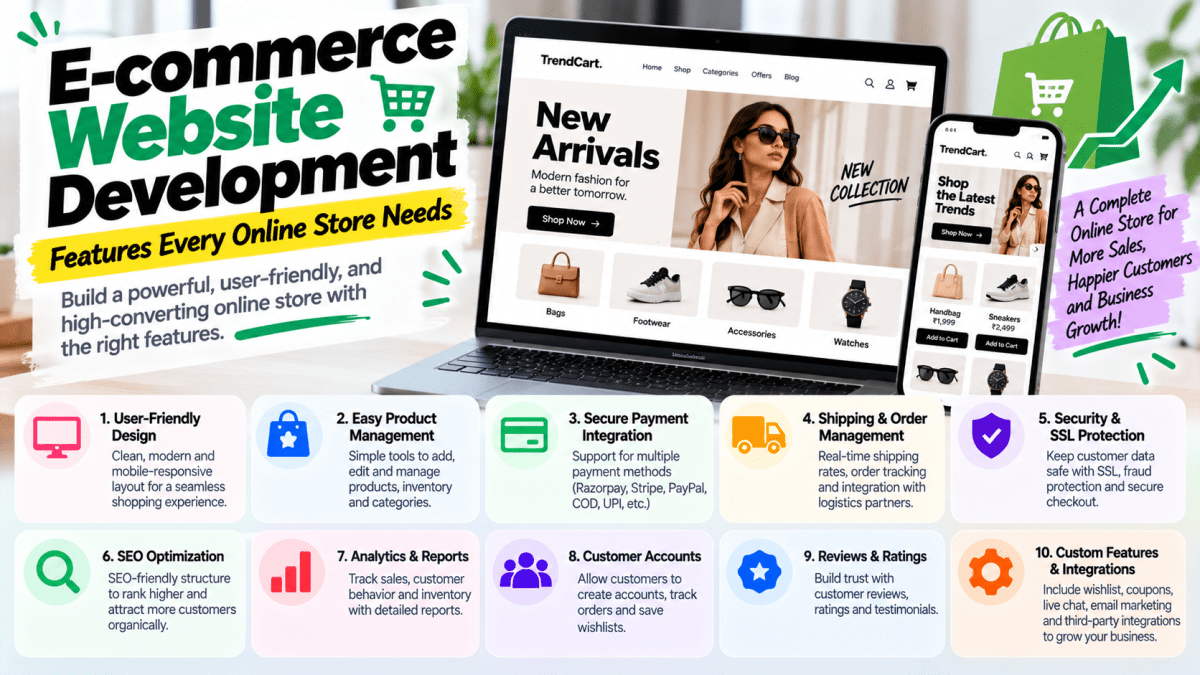
E-commerce Website Development: Features Every Online Store Needs#
Launching an online store is no longer just about putting products on a website and adding a payment button.
A successful e-commerce website needs to do much more.
It needs to help customers discover products, understand what they're buying, trust the business, complete purchases easily, receive their orders, and come back again.
That means e-commerce website development involves much more than visual design.
A professional online store needs the right combination of:
- User experience
- Product management
- Search and navigation
- Payments
- Shipping
- Security
- Mobile optimization
- SEO
- Analytics
- Marketing
- Customer support
- Performance
- Automation
Whether you're building a Shopify store, WooCommerce website, custom e-commerce platform, or another online shopping solution, the features you choose can directly affect usability, conversion rates, operating costs, and long-term growth.
In this guide, we'll cover the essential e-commerce website features every online store should consider, including must-have functionality, advanced features, technical requirements, SEO, security, and conversion optimization.
What Is E-commerce Website Development?#
E-commerce website development is the process of designing, building, integrating, testing, and maintaining a website that allows businesses to sell products or services online.
A complete e-commerce system can include:
Frontend storefront
→ Product browsing
→ Search
→ Product pages
→ Cart
→ Checkout
Backend
→ Product management
→ Inventory
→ Orders
→ Customers
→ Discounts
→ Shipping
→ Payments
Business integrations
→ Payment gateways
→ Shipping providers
→ Accounting
→ CRM
→ Marketing platforms
→ Analytics
→ Customer support
The exact architecture depends on the business.
A small fashion brand doesn't need the same technology as a multi-vendor marketplace.
That's why e-commerce development should begin with business requirements, not simply a list of trendy features.
Why E-commerce Features Matter#
Imagine a customer visits your store.
They can't find the product they want.
They search—but search doesn't work properly.
They finally find the product.
The product page doesn't explain delivery.
They add it to the cart.
Shipping suddenly costs ₹500.
They reach checkout.
Their preferred payment method isn't available.
They leave.
You didn't necessarily lose the customer because your product was bad.
You lost them because your digital buying experience had too much friction.
Good e-commerce development removes unnecessary friction from the customer journey.
1. Mobile-First Design#
Mobile optimization is no longer optional for modern e-commerce businesses.
Customers may discover products through:
- YouTube
- Influencers
- Search engines
And many of those interactions happen on smartphones.
Your e-commerce website needs to work properly on:
- Smartphones
- Tablets
- Laptops
- Desktop computers
A mobile-friendly store should provide#
- Easy navigation
- Readable typography
- Touch-friendly buttons
- Fast-loading images
- Simple product selection
- Easy cart access
- Smooth checkout
- Mobile-friendly payment flows
Don't treat mobile design as an afterthought.
A better approach is to design the shopping experience mobile-first and then enhance it for larger screens.
2. Professional Homepage#
Your homepage is often the first major interaction customers have with your brand.
It should quickly communicate:
What do you sell?
Who is it for?
Why should customers choose you?
What should they do next?
A strong e-commerce homepage can include:
- Hero section
- Primary CTA
- Featured products
- Best sellers
- New arrivals
- Categories
- Brand benefits
- Customer reviews
- Promotional offers
- UGC
- Trust signals
- Newsletter signup
- Footer navigation
Don't turn your homepage into a giant collection of unrelated banners.
Every section should have a purpose.
3. Product Catalog Management#
An e-commerce platform needs a reliable product management system.
Your admin panel should allow authorized users to manage:
- Product names
- Descriptions
- Images
- Videos
- Prices
- Discounts
- SKUs
- Categories
- Tags
- Variants
- Inventory
- Shipping information
- SEO metadata
For businesses with hundreds or thousands of products, efficient catalog management becomes even more important.
4. Product Variants#
Many products have multiple configurations.
Examples include:
- Size
- Color
- Material
- Weight
- Pack size
- Storage
- Model
- Style
Your website should allow customers to select variants easily.
For example:
T-Shirt
Color:
Black | White | Navy
Size:
S | M | L | XL | XXL
The system should also understand inventory at the variant level.
For example:
Black / M → 12 available
Black / L → 0 available
White / M → 7 available
This prevents customers from ordering unavailable combinations.
5. Advanced Product Search#
As your product catalog grows, search becomes increasingly important.
Customers shouldn't have to manually browse dozens of categories.
A good search system should help users find products quickly.
Useful features can include:
- Keyword search
- Autocomplete
- Search suggestions
- Product thumbnails
- Category suggestions
- Typo tolerance
- Recent searches
- Popular searches
For large stores, advanced search can also use attributes such as:
- Brand
- Price
- Category
- Size
- Color
- Material
- Rating
The goal is simple:
Help customers find what they're looking for with minimum effort.
6. Product Filtering and Sorting#
Search isn't enough.
Customers often want to narrow down a collection.
For example:
Women's Shoes
Filter by:
- Size
- Color
- Brand
- Price
- Rating
- Material
- Availability
Sort by:
- Popularity
- Newest
- Price: Low to High
- Price: High to Low
- Customer rating
Effective filtering becomes particularly important for stores with large catalogs.
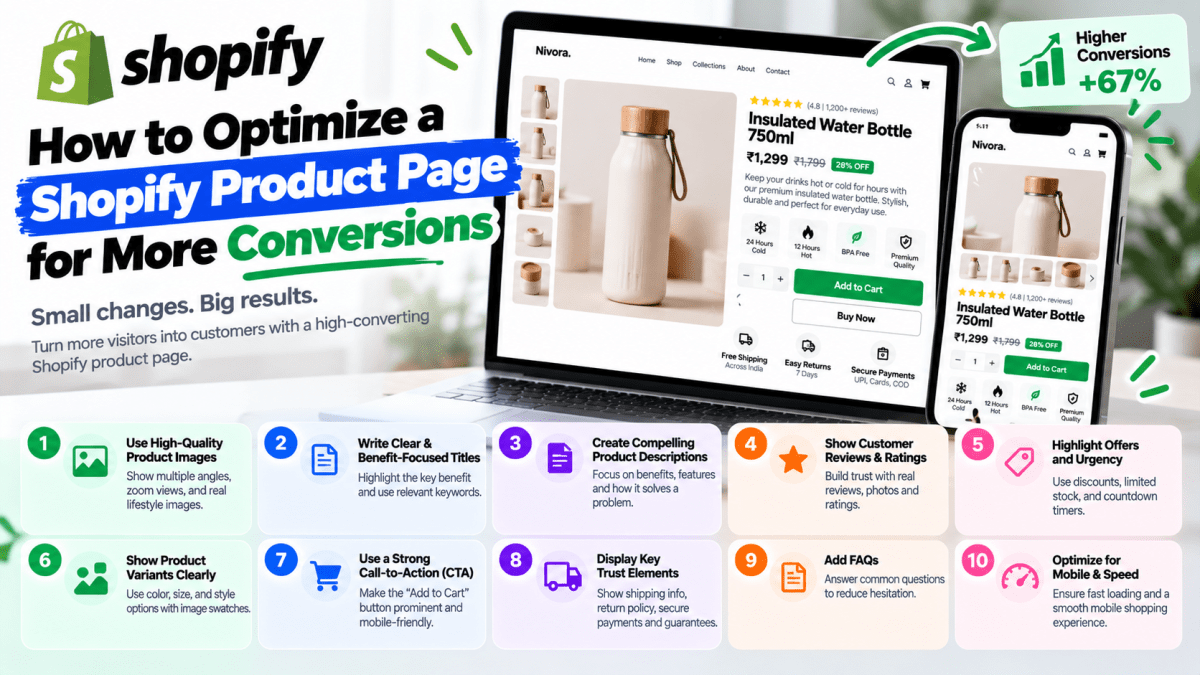
7. High-Converting Product Pages#
Your product page is one of the most important parts of the entire store.
A strong product page can include:
- Product title
- High-quality images
- Product video
- Price
- Discount
- Product benefits
- Description
- Specifications
- Variants
- Reviews
- Ratings
- Size guide
- Shipping information
- Return information
- FAQs
- Add to Cart
- Buy Now
- Related products
The page should answer the customer's biggest questions before they reach checkout.
The objective isn't simply:#
"Show the product."
It's:
"Give the customer enough information and confidence to buy the product."
8. Shopping Cart#
The shopping cart should be simple and transparent.
Customers should be able to:
- View products
- Change quantities
- Remove products
- Change variants where applicable
- See subtotal
- See discounts
- Estimate shipping
- Continue shopping
- Proceed to checkout
You can also show relevant cross-sells.
For example:
You may also like
or:
Frequently bought together
But don't overwhelm the cart with unnecessary distractions.
The primary objective is still:
Complete the purchase.
9. Fast and Simple Checkout#
Checkout is one of the most important parts of the e-commerce journey.
A customer has already decided they want to buy.
Don't make the final step unnecessarily difficult.
A good checkout experience should clearly communicate:
- Order summary
- Customer information
- Shipping address
- Delivery method
- Payment method
- Discounts
- Taxes where applicable
- Final price
Avoid unnecessary fields.
Every additional step can introduce friction.
10. Multiple Payment Options#
Customers have different payment preferences.
Depending on your target market and payment provider, an online store may support:
- Credit cards
- Debit cards
- UPI
- Net banking
- Digital wallets
- Buy Now, Pay Later
- Cash on Delivery
- International payment methods
For Indian e-commerce businesses, UPI and COD can be particularly relevant.
For international stores, card payments and region-specific payment methods may be more important.
The right payment mix depends on your customers.
11. Payment Gateway Integration#
A professional e-commerce website needs reliable payment processing.
Depending on your market, businesses may integrate providers such as:
- Razorpay
- Cashfree
- PayU
- Stripe
- PayPal
- Other supported payment providers
Payment gateway availability, pricing, supported payment methods, and eligibility can vary by provider and business.
A professional implementation should also handle:
- Successful payments
- Failed payments
- Pending payments
- Webhooks
- Payment verification
- Order status updates
- Refunds
Never assume that displaying a "Payment Successful" screen alone means the backend should trust the transaction.
Payment confirmation should be properly verified.
12. Cash on Delivery#
For many Indian e-commerce businesses, Cash on Delivery can be an important conversion option.
But COD introduces operational risks.
These can include:
- Fake orders
- Order refusals
- Returns
- RTO
- Additional shipping costs
Businesses can reduce risk using strategies such as:
- COD limits
- Order verification
- OTP verification
- Partial prepaid payments
- COD fees
- Customer history
- Pincode restrictions
COD should be treated as a business process—not simply a payment button.
13. Shipping and Delivery Management#
Customers want to know:
When will my order arrive?
Your e-commerce platform should support appropriate shipping functionality.
Depending on your business, this may include:
- Shipping zones
- Pincode validation
- Shipping rates
- Free shipping thresholds
- Delivery estimates
- Multiple carriers
- Tracking
- International shipping
- Weight-based shipping
- Location-based shipping
For Indian businesses, pincode-level serviceability can be particularly useful.
14. Order Tracking#
After purchasing, customers want visibility.
A useful order tracking system can show:
Order Placed
↓
Confirmed
↓
Packed
↓
Shipped
↓
Out for Delivery
↓
Delivered
Customers can receive updates through channels such as:
- SMS
- Website account
- Push notifications
Clear communication reduces "Where is my order?" support requests.
15. Customer Accounts#
Customer accounts can provide a more personalized shopping experience.
Features can include:
- Order history
- Saved addresses
- Saved payment methods where appropriately supported
- Wishlist
- Returns
- Reorders
- Profile management
However, forcing every visitor to create an account before purchasing can create unnecessary friction.
For many businesses, guest checkout should remain available.
16. Wishlist#
A wishlist allows customers to save products they aren't ready to purchase.
This is useful for:
- High-consideration products
- Fashion
- Electronics
- Furniture
- Seasonal products
Wishlist functionality can also support retention campaigns.
For example:
"The product you saved is now 15% off."
or:
"Your wishlist item is almost out of stock."
Such messages should be truthful and appropriately targeted.
17. Reviews and Ratings#
Reviews provide social proof.
A good review system can allow customers to:
- Give star ratings
- Write reviews
- Upload images
- Upload videos
- Ask questions
Useful review filters might include:
- Rating
- Verified purchase
- Most recent
- With photos
Never fabricate reviews.
Long-term trust is more valuable than short-term conversion manipulation.
18. Discounts and Coupon Codes#
E-commerce platforms should support promotional campaigns.
Examples include:
- Percentage discounts
- Fixed discounts
- First-order discounts
- Buy One Get One
- Buy 2 Get 1
- Bundle discounts
- Free shipping
- Minimum-order discounts
For example:
10% OFF on orders above ₹1,999
The system should validate discount conditions automatically.
19. Abandoned Cart Recovery#
Not every customer who adds something to their cart completes the purchase.
They may:
- Get distracted
- Compare prices
- Need more time
- Forget
- Experience payment problems
Abandoned cart recovery can bring some customers back.
Depending on the business, recovery can happen through:
- SMS
- Retargeting
A simple sequence could be:
Reminder
↓
Product/value reminder
↓
Offer or incentive where appropriate
Don't turn every abandoned cart into a spam campaign.
20. SEO-Friendly Architecture#
An e-commerce website needs more than attractive pages.
It needs a search-engine-friendly structure.
Important SEO components include:
- Clean URLs
- Logical categories
- Internal linking
- Metadata
- Product schema
- Breadcrumbs
- Optimized headings
- Image alt text
- Canonicalization
- Sitemap
- Crawl management
- Fast pages
- Mobile optimization
A good architecture might look like:
Home
↓
Category
↓
Subcategory
↓
Product
This creates logical relationships between pages.
21. Category Pages Optimized for SEO#
Category pages can be valuable organic landing pages.
For example:
Men's Running Shoes
could target relevant search intent around that product category.
A strong category page may include:
- Category title
- Short introduction
- Product grid
- Filters
- Sorting
- Helpful content
- FAQs
- Internal links
Don't create hundreds of thin category pages just for SEO.
Every indexable page should have a useful purpose.
22. Product Schema and Structured Data#
Structured data can help search engines better understand your products.
Depending on implementation, product pages may communicate information such as:
- Product name
- Brand
- Price
- Availability
- Rating
- Reviews
Correct structured data can improve how eligible pages are represented in search results.
But structured data should accurately reflect the visible and actual information on the page.
Never use schema to claim information that customers cannot verify.
23. Site Search Analytics#
Search behavior can reveal what customers actually want.
Suppose customers repeatedly search for:
"black oversized t-shirt"
but your website doesn't make that product easy to discover.
That's valuable business intelligence.
Track:
- Popular searches
- Searches with no results
- Search exits
- Search-to-purchase behavior
- Frequently filtered attributes
Search data can help you improve both merchandising and SEO.
24. Website Speed and Performance#
A slow e-commerce website can create friction throughout the buying journey.
Performance problems may come from:
- Large images
- Too many apps
- Excessive JavaScript
- Third-party scripts
- Poorly implemented widgets
- Heavy animations
- Unoptimized code
- Poor hosting or infrastructure in custom solutions
Monitor:
- Loading performance
- Interactivity
- Layout stability
- Mobile performance
- Core Web Vitals
A beautiful store isn't useful if customers leave before the page becomes usable.
25. Image Optimization#
E-commerce websites often contain hundreds or thousands of images.
Poor image handling can make a website unnecessarily heavy.
Use:
- Appropriate dimensions
- Modern formats where supported
- Compression
- Responsive images
- Lazy loading where appropriate
But don't sacrifice product quality excessively.
The objective is:
High visual quality + reasonable performance.
26. Security#
E-commerce websites handle sensitive business and customer information.
Security needs to be taken seriously.
Depending on your architecture, security considerations can include:
- HTTPS
- Secure authentication
- Strong passwords
- Access controls
- Secure APIs
- Input validation
- Rate limiting
- Secure payment integration
- Dependency updates
- Backup strategy
- Monitoring
- Admin protection
Never store sensitive payment information yourself unless your architecture and compliance requirements genuinely require it and you have the expertise to do so.
Whenever possible, use established payment providers and follow their integration and security requirements.
27. Role-Based Admin Access#
Not every employee needs access to everything.
A growing e-commerce business may have:
- Super Admin
- Store Manager
- Inventory Manager
- Marketing Manager
- Customer Support
- Content Manager
Role-based permissions can prevent accidental or unauthorized changes.
For example:
A content manager may edit product descriptions.
But they shouldn't necessarily have permission to change payment settings.
28. Inventory Management#
Inventory management becomes critical as the number of products increases.
Your system should ideally track:
- Stock quantity
- SKUs
- Variants
- Low-stock levels
- Out-of-stock products
- Reserved inventory
- Inventory adjustments
For larger businesses, inventory may need synchronization with:
- Warehouses
- POS systems
- Marketplaces
- ERP
- Accounting software
29. Low-Stock Alerts#
Automated inventory alerts can prevent stockouts.
For example:
Product X — 8 units remaining
Your system can notify the responsible team.
You can establish thresholds such as:
Alert when stock < 10
This becomes particularly important for fast-moving products.
30. Customer Support Integration#
Customers will have questions.
Your e-commerce website should make support easy.
Options can include:
- Live chat
- Help center
- FAQ
- Contact form
- Chatbot
For larger stores, support systems can integrate with:
- CRM
- Order management
- Customer history
- Ticketing systems
The more information your support team can access, the faster they can resolve problems.
31. WhatsApp Integration for Indian E-commerce#
WhatsApp can be particularly useful for Indian businesses.
Depending on the implementation, businesses can use it for:
- Order confirmations
- Shipping updates
- Customer support
- Abandoned-cart communication
- Product inquiries
- Marketing communication where consent and applicable rules are followed
For many businesses, WhatsApp can become an important bridge between the website and customer support.
32. Analytics and Conversion Tracking#
You can't optimize what you don't measure.
Your e-commerce website should track important events.
Examples include:
- Product view
- Search
- Add to cart
- Begin checkout
- Payment
- Purchase
- Coupon usage
- Sign-up
- Wishlist
- Refund
Analytics can help answer:
Where are customers dropping off?
Which products generate the most revenue?
Which marketing channels bring valuable customers?
Which products get traffic but don't convert?
33. Marketing Integration#
A professional e-commerce website should connect with your marketing ecosystem.
Depending on your business, this can include:
- Google Analytics
- Google Ads
- Meta Ads
- Email marketing
- CRM
- Search Console
- Affiliate platforms
- Marketing automation
Tracking needs to be implemented carefully.
If your purchase events aren't being recorded accurately, your advertising platforms may optimize toward the wrong signals.
34. Email Marketing#
Your store shouldn't depend entirely on new visitors.
Email can help increase retention.
Useful campaigns include:
- Welcome emails
- Abandoned cart
- Order confirmation
- Shipping updates
- Post-purchase follow-up
- Product recommendations
- Back-in-stock notifications
- Promotional campaigns
- Win-back campaigns
Retention can be particularly valuable because acquiring a new customer often costs more than selling again to an existing customer.
35. Personalization#
Advanced stores can personalize the shopping experience.
Examples include:
- Recommended products
- Recently viewed products
- Personalized offers
- Location-based information
- Customer-specific content
- Previous purchase recommendations
But personalization should add value.
A store doesn't need complicated AI simply because the technology exists.
36. Product Recommendations#
Recommendation engines can support:
Cross-selling
"Complete the look"
Upselling
"You may prefer our premium version"
Related products
"You may also like"
Frequently bought together
These features can increase average order value when implemented intelligently.
37. Multi-Currency Support#
If you're selling internationally, customers may prefer seeing prices in their local currency.
For example:
₹4,999
could be presented in an appropriate local currency depending on the customer's market and setup.
Multi-currency functionality needs to be implemented carefully alongside:
- Payment providers
- Taxes
- Shipping
- Refunds
- Exchange rates
- Accounting
International e-commerce is more complicated than simply adding a currency switcher.
38. Multi-Language Support#
If your business serves multiple language markets, localized content can improve usability.
A multilingual store may need localized:
- Product descriptions
- Navigation
- Checkout content
- Policies
- Emails
- Customer support
Machine translation can help with workflows, but important customer-facing content should be reviewed for accuracy and cultural context.
39. Returns and Refund Management#
Returns are part of e-commerce.
Your system should support an organized process for:
- Return requests
- Exchange requests
- Refunds
- Damaged products
- Return reasons
- Order status
- Customer notifications
A good returns system can reduce support workload and improve customer experience.
40. Customer Segmentation#
As your customer base grows, treating everyone identically becomes less effective.
Customers can be segmented based on:
- Purchase history
- Order value
- Frequency
- Product category
- Location
- Engagement
- New vs returning customer
This can support more relevant marketing.
For example:
Customers who purchased running shoes
could receive relevant accessories or replacement recommendations.
41. Loyalty and Rewards#
Loyalty programs can encourage repeat purchases.
Possible features include:
- Points
- Referral rewards
- VIP tiers
- Birthday offers
- Exclusive discounts
- Early access
- Member-only products
Don't build a loyalty program simply because competitors have one.
Calculate whether the economics make sense for your business.
42. Referral Programs#
Happy customers can become acquisition channels.
A referral system might offer:
Refer a friend → Both receive ₹200 off
The exact incentive should depend on your margins and customer acquisition economics.
A referral system should track:
- Referrer
- New customer
- Referral code
- Order
- Reward eligibility
43. Subscription Commerce#
Some businesses have products that customers need repeatedly.
Examples:
- Beauty products
- Pet supplies
- Food
- Supplements
- Household products
- Consumables
Subscription functionality can allow customers to receive products automatically.
But subscription commerce requires careful handling of:
- Recurring payments
- Failed payments
- Pausing
- Cancellation
- Delivery
- Customer notifications
44. Advanced E-commerce Features#
Once the core system is stable, businesses can consider advanced features.
Examples include:
- AI product recommendations
- AI shopping assistants
- Visual search
- Voice search
- Product comparison
- Virtual try-on
- AR previews
- Personalized merchandising
- Dynamic pricing
- Advanced recommendation engines
- Automated customer support
These can be powerful—but they're not always necessary.
Build advanced features because they solve a real business problem.
Not because they sound impressive in a proposal.
45. AI Chatbots for E-commerce#
An AI chatbot can help customers with questions such as:
"What size should I buy?"
"Do you deliver to Jaipur?"
"Where is my order?"
"What's your return policy?"
"Which product is best for gifting?"
A good e-commerce chatbot should have access to reliable business information.
It should not invent:
- Prices
- Stock
- Delivery timelines
- Discounts
- Policies
AI is useful when it improves customer experience—not when it creates another source of incorrect information.
46. Custom E-commerce Functionality#
Sometimes standard Shopify or WooCommerce functionality isn't enough.
Businesses may require:
- Custom calculators
- Product configurators
- Custom pricing
- B2B ordering
- Bulk ordering
- Custom quotations
- Membership systems
- Dealer portals
- Marketplace functionality
- Complex integrations
- Custom workflows
This is where custom development becomes useful.
47. B2B E-commerce Features#
B2B e-commerce often has different requirements than consumer stores.
Features can include:
- Bulk pricing
- Minimum order quantities
- Customer-specific pricing
- Wholesale accounts
- Credit terms
- Purchase orders
- Approval workflows
- Sales representative accounts
- Dealer dashboards
- Tax/business information
If your business sells to distributors or retailers, a standard B2C store may not be enough.
48. Multi-Vendor Marketplace Features#
A marketplace is significantly more complex than a standard online store.
Examples include platforms where multiple sellers list products.
A marketplace may require:
- Vendor registration
- Seller dashboards
- Product approval
- Commission management
- Seller payouts
- Vendor analytics
- Order splitting
- Seller reviews
- Dispute management
- Vendor verification
If you're building a marketplace, architecture should be planned from the beginning.
49. E-commerce Admin Dashboard#
Your store's frontend is only one side of the system.
The admin dashboard is where your team operates the business.
A useful dashboard can provide:
Sales#
- Revenue
- Orders
- Average order value
- Refunds
Customers#
- New customers
- Returning customers
- Customer segments
Products#
- Best sellers
- Low stock
- Out-of-stock products
Marketing#
- Traffic
- Campaign performance
- Conversion rates
A good dashboard turns raw data into actionable information.
50. Backup and Recovery#
E-commerce downtime can directly affect revenue.
Your infrastructure should have appropriate backup and recovery procedures.
Depending on your technology stack, this may include:
- Database backups
- Configuration backups
- Media backups
- Version control
- Disaster recovery procedures
- Monitoring
- Restore testing
A backup that has never been tested is not a reliable recovery strategy.
51. Scalability#
Your e-commerce architecture should account for future growth.
You may start with:
100 products
and eventually have:
10,000 products
You may start with:
100 orders/month
and eventually process:
10,000+ orders/month
Architecture should consider:
- Database performance
- Caching
- CDN
- Image delivery
- API performance
- Search
- Queue processing
- Third-party integrations
- Monitoring
The goal isn't to over-engineer a small business.
The goal is to avoid building something that becomes impossible to scale.
Shopify vs WooCommerce vs Custom E-commerce#
One of the most important decisions is choosing the right development approach.
Shopify#
Best suited for businesses that want:
- Managed infrastructure
- Faster launch
- E-commerce-focused features
- Lower technical maintenance
- Strong app ecosystem
Shopify is particularly attractive for D2C brands and businesses that want to focus more on selling than infrastructure management.
WooCommerce#
WooCommerce can be a strong choice when businesses need:
- WordPress integration
- Content-heavy websites
- Greater infrastructure control
- Deep customization
- Large WordPress ecosystem
It's particularly useful when content marketing and e-commerce need to live closely together.
Custom E-commerce Development#
Custom development makes more sense when you require:
- Unique workflows
- Complex business logic
- Marketplace functionality
- B2B systems
- Custom pricing
- Advanced integrations
- SaaS-like functionality
- Highly specialized customer journeys
Custom doesn't automatically mean better.
It means more control and more responsibility.
Essential vs Advanced E-commerce Features#
Not every store needs 50+ features.
A practical approach is to divide functionality into levels.
Essential#
Every serious online store should consider:
- Mobile-first design
- Product catalog
- Product pages
- Search
- Filters
- Cart
- Checkout
- Payment gateway
- Shipping
- Order tracking
- Reviews
- SEO
- Analytics
- Security
- Admin panel
Growth#
As the business grows:
- Wishlist
- Abandoned cart
- Email marketing
- Product recommendations
- Loyalty
- Referral
- Customer segmentation
- Advanced analytics
Advanced#
For more sophisticated businesses:
- AI recommendations
- AI chatbot
- Personalization
- Subscription commerce
- B2B pricing
- Marketplace functionality
- Custom ERP integration
- Advanced automation
- Custom dashboards
E-commerce Website Development Checklist#
Before launching an online store, review the following.
Design#
- [ ] Professional branding
- [ ] Mobile-first UI
- [ ] Clear navigation
- [ ] Strong CTAs
- [ ] Responsive design
Products#
- [ ] Product catalog
- [ ] Product variants
- [ ] High-quality images
- [ ] Product descriptions
- [ ] Specifications
- [ ] Inventory management
Shopping#
- [ ] Search
- [ ] Filters
- [ ] Sorting
- [ ] Cart
- [ ] Wishlist where appropriate
- [ ] Product recommendations
Checkout#
- [ ] Guest checkout where appropriate
- [ ] Multiple payment methods
- [ ] Shipping options
- [ ] Clear pricing
- [ ] Coupon support
- [ ] Mobile checkout
Orders#
- [ ] Order management
- [ ] Order tracking
- [ ] Notifications
- [ ] Returns
- [ ] Refunds
Marketing#
- [ ] Analytics
- [ ] Conversion tracking
- [ ] SEO
- [ ] Meta integration
- [ ] Google Ads integration
- [ ] Email marketing
Security#
- [ ] HTTPS
- [ ] Secure authentication
- [ ] Access controls
- [ ] Secure APIs
- [ ] Backups
- [ ] Monitoring
Performance#
- [ ] Image optimization
- [ ] Fast pages
- [ ] Mobile testing
- [ ] Core Web Vitals
- [ ] Third-party script review
How Much Does E-commerce Website Development Cost in India?#
The cost depends heavily on the platform, number of products, integrations, design requirements, and customization.
A broad market-oriented range could look like:
| Type | Approximate Development Range |
|---|---|
| Basic e-commerce website | ₹25,000–₹50,000 |
| Professional Shopify/WooCommerce store | ₹40,000–₹1,00,000+ |
| Custom e-commerce website | ₹75,000–₹3,00,000+ |
| Advanced e-commerce platform | ₹2,00,000–₹5,00,000+ |
| Marketplace/custom platform | ₹3,00,000+ |
These are broad estimates rather than fixed industry prices.
The final cost depends on requirements.
For example, a store with:
20 products + standard checkout
is very different from:
5,000 products + ERP + warehouse + B2B pricing + custom dashboard + multiple payment providers.
The second project requires significantly more development and testing.
How to Choose an E-commerce Development Company#
Don't choose a development company only because they offer the lowest quote.
Evaluate:
Portfolio#
Have they built stores similar to yours?
UX#
Do their websites look and work professionally?
Technical capability#
Can they handle integrations and custom functionality?
SEO#
Do they understand e-commerce SEO?
Performance#
Do their websites perform well?
Communication#
Can they clearly explain the project?
Support#
What happens after launch?
Ownership#
Make sure you understand who owns:
- Domain
- Hosting
- Shopify account
- Code
- Design files
- Analytics
- Business data
A professional development relationship should make ownership clear from the beginning.
Common E-commerce Development Mistakes#
Avoid these common mistakes:
Building only for desktop#
Your mobile experience matters.
Choosing features instead of solving problems#
More features don't automatically mean more sales.
Ignoring SEO until launch#
SEO should be considered during architecture and development.
Installing too many plugins/apps#
Every additional dependency increases complexity.
Using low-quality product images#
Visual trust matters.
Making checkout complicated#
Remove unnecessary friction.
Ignoring analytics#
Without measurement, optimization becomes guesswork.
Overbuilding too early#
Don't spend ₹10 lakh building features your customers don't need.
Underbuilding the foundation#
Don't save money by ignoring security, performance, backups, and proper architecture.
The Best E-commerce Website Is Not the One With the Most Features#
This is probably the most important point in this entire article.
You don't need every feature.
A successful online store isn't defined by the number of buttons, integrations, animations, or AI tools it contains.
It is defined by how effectively it helps the business:
Attract customers → Build trust → Sell products → Process orders → Retain customers → Grow revenue
For one business, that might mean Shopify.
For another, WooCommerce.
For another, a completely custom platform.
The technology should serve the business—not the other way around.
Final Thoughts#
A successful e-commerce website is much more than a digital catalog.
It's a complete business system.
Your customers need:
Easy discovery
↓
Clear product information
↓
Trust
↓
Simple checkout
↓
Reliable payment
↓
Transparent delivery
↓
Good post-purchase experience
And your business needs:
Product management
↓
Inventory
↓
Orders
↓
Analytics
↓
Marketing
↓
Automation
↓
Scalability
When these pieces work together, your website becomes more than a place where customers buy products.
It becomes an important part of your business infrastructure.
Whether you're launching your first online store, migrating from another platform, or rebuilding an existing e-commerce website, start with your business requirements and customer journey.
Then choose the technology and features that support them.
Build an E-commerce Website That Is Designed to Grow#
At Stitchbyte, we build e-commerce websites for businesses that want more than a basic online catalog.
Our e-commerce development services can include:
- Shopify development
- WooCommerce development
- Custom e-commerce development
- UI/UX design
- Mobile-first websites
- Product catalog development
- Payment gateway integration
- Shipping integration
- Inventory systems
- Custom dashboards
- SEO-friendly architecture
- Performance optimization
- Analytics and conversion tracking
- AI chatbot integration
- Business automation
- Third-party API integrations
- Ongoing maintenance
Whether you're launching a small D2C brand or building a more complex e-commerce platform, the right architecture can save you significant time and money later.
Stitchbyte — Let's Build Something Extraordinary.
Planning a Custom Website or Web App in 2026?
Avoid agency markups and hidden renewal fees. Speak with our lead architects for a transparent, itemized scope and architectural proposal tailored to your business goals.
Related Topics & Tags
Enjoyed this article?
Share it with your teammates or network.
StitchByte Team
AuthorPublished by the StitchByte engineering & design team. We build high-performance web applications, AI automation agents, and modern digital platforms for scaling businesses across India and globally.