10 Shopify Store Mistakes That Can Reduce Your Sales#
Building a Shopify store is easier than ever. You can choose a theme, upload products, connect payments, configure shipping, and start selling without building an e-commerce platform from scratch.
But launching a Shopify store and building a profitable Shopify store are two very different things.
Many businesses invest in products, photography, advertising, and inventory but still struggle to generate consistent sales. In many cases, the problem isn't the product or the advertising budget. The problem is the store itself.
A slow product page, confusing navigation, weak product descriptions, poor mobile experience, complicated checkout, missing trust signals, or unclear shipping policies can cause potential customers to leave before purchasing.
In other words:
Getting traffic to your Shopify store is only half the job. Your store needs to convert that traffic into customers.
In this guide, we'll cover 10 common Shopify store mistakes that can reduce sales, how to identify them, and what you can do to fix them.
Why Shopify Stores Lose Sales#
Before looking at individual mistakes, it's important to understand how a typical customer journey works.
A potential customer may:
See an advertisement → Visit your website → Browse products → Open a product page → Add to cart → Begin checkout → Complete payment
A problem at any stage can reduce your conversion rate.
For example:
- Great ads + poor landing page = wasted advertising budget
- Great products + poor product photography = low trust
- Great product page + expensive shipping = abandoned carts
- Great website + complicated checkout = lost customers
- Great store + slow mobile experience = fewer conversions
This is why Shopify optimization shouldn't focus on one element alone.
You need to optimize the entire customer journey.
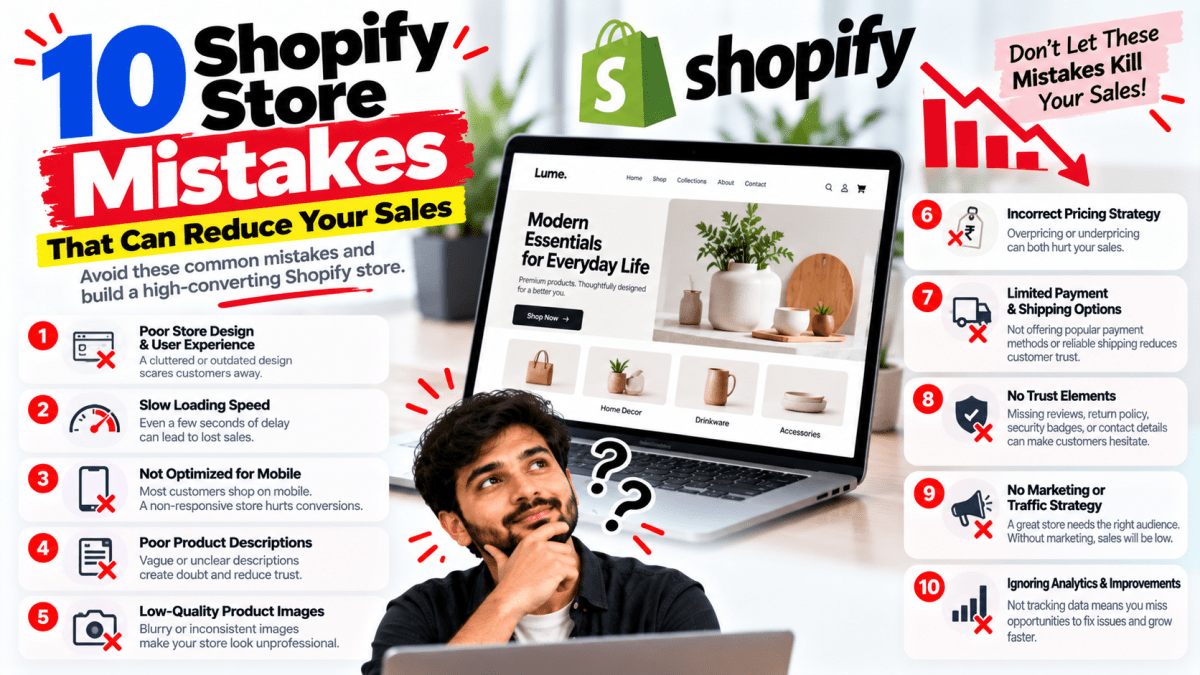
1. Using a Poorly Designed Shopify Theme#
One of the biggest mistakes businesses make is choosing a Shopify theme simply because it looks attractive in the demo.
A theme can look impressive but still provide a poor shopping experience.
Your customers don't care how impressive your theme looks in the Shopify theme marketplace.
They care about:
- Finding products quickly
- Understanding what you're selling
- Seeing product details clearly
- Trusting your brand
- Knowing delivery timelines
- Understanding your return policy
- Completing checkout easily
Common design problems#
Some Shopify stores suffer from:
- Too many animations
- Excessive pop-ups
- Confusing menus
- Tiny fonts
- Poor contrast
- Too many colors
- Cluttered product pages
- Difficult mobile navigation
- Overloaded homepages
- Unclear CTAs
A professional Shopify store should make the buying decision easier—not harder.
What your Shopify design should accomplish#
Your website should immediately communicate:
What do you sell?
Who is it for?
Why should customers choose you?
What should they do next?
For example, instead of filling your homepage with dozens of banners, create a clear hierarchy:
Headline → Value proposition → CTA → Best-selling products → Benefits → Reviews → Trust signals → CTA
The design should support the customer's buying journey.
2. Ignoring Mobile Users#
This is one of the most expensive Shopify mistakes.
A large percentage of e-commerce traffic comes from smartphones, particularly when businesses use Instagram, Facebook, TikTok, influencer marketing, or other mobile-first acquisition channels.
Yet many Shopify stores are designed primarily on desktop.
That creates a serious problem.
A customer might discover your product through Instagram, click the advertisement, and land on your store using a phone.
If the page is difficult to navigate, slow, cluttered, or difficult to read, they may simply leave.
Common mobile Shopify problems#
Look for:
- Small text
- Buttons that are difficult to tap
- Product images loading slowly
- Horizontal scrolling
- Menus that are difficult to use
- Large pop-ups
- Sticky elements covering content
- Long checkout friction
- Too much text before the product
- Poorly optimized product images
The solution#
Don't just make your desktop website "responsive."
Design the shopping experience mobile-first.
Check important pages on multiple screen sizes:
- Homepage
- Collection pages
- Product pages
- Cart
- Checkout flow
- Contact page
- Search
- Account/login pages
Your customer should be able to browse and purchase comfortably using one hand.
3. Poor Product Pages#
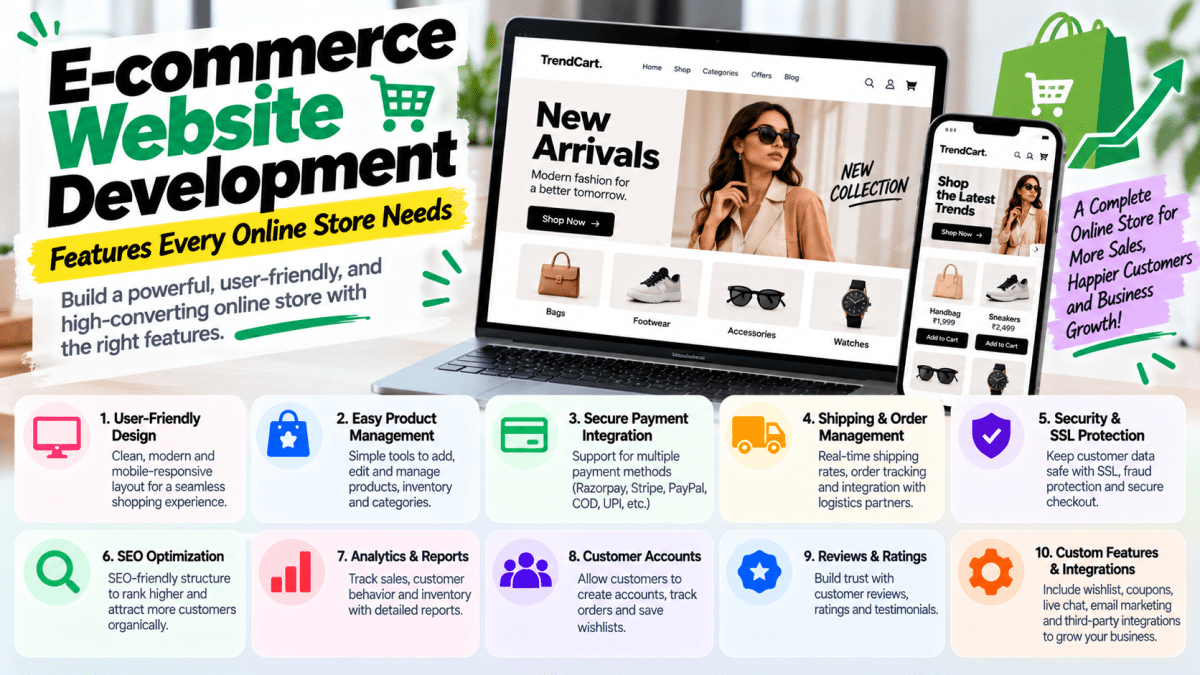
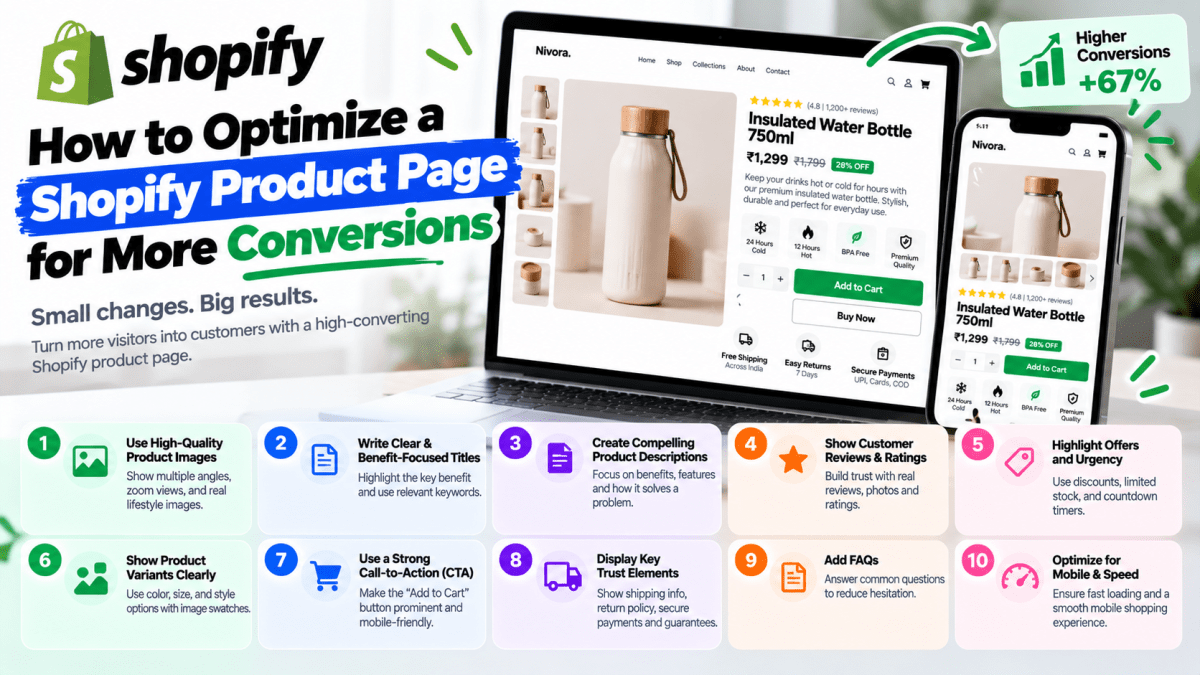
Your product page is one of the most important sales assets in your Shopify store.
It needs to answer the questions a customer would normally ask a salesperson.
A weak product page may simply contain:
Product name + image + price + Add to Cart
That's rarely enough for competitive e-commerce.
Customers may want to know:
- What exactly is the product?
- What problem does it solve?
- What makes it different?
- What are the dimensions?
- What materials are used?
- How does it fit?
- How long will delivery take?
- Can I return it?
- Is there a warranty?
- What do other customers think?
A high-converting product page should include#
1. Strong product images#
Use multiple images showing:
- Front
- Back
- Side
- Close-up
- Product in use
- Different variations
- Scale/context where relevant
2. Clear product title#
Customers should immediately understand what they're looking at.
3. Benefit-focused description#
Don't only describe features.
Explain why the feature matters.
For example:
Weak:
"Made from 100% cotton."
Better:
"Made from breathable 100% cotton for a soft, comfortable feel throughout the day."
4. Clear pricing#
Avoid making customers search for the price.
5. Strong CTA#
Your primary CTA should be obvious.
Examples:
Add to Cart
Buy Now
Order Now
6. Delivery information#
Tell customers approximately when they can expect their order.
7. Return information#
Don't force customers to search through your footer to understand returns.
8. Reviews#
Customer reviews reduce uncertainty and increase trust.
4. Using Low-Quality Product Images#
E-commerce is visual.
Customers can't physically touch your product through a website.
Your product photography therefore needs to do part of the job that a physical store normally does.
Poor-quality images can make a good product look cheap.
Common photography mistakes#
- Low resolution
- Inconsistent backgrounds
- Poor lighting
- Only one product image
- No lifestyle images
- Product shown from only one angle
- Incorrect cropping
- Images that don't show product details
What to do instead#
Use a combination of:
Product photography
For clear product presentation.
Lifestyle photography
To show how the product is used.
Detail photography
To demonstrate quality, texture, materials, stitching, finishes, etc.
Scale photography
To help customers understand size.
For fashion, for example, customers may want to see the product:
- On a model
- From multiple angles
- In different lighting
- With size information
- With close-up fabric/detail shots
Better visuals can reduce uncertainty before purchase.
5. Making Your Store Too Slow#
A beautiful Shopify store that takes too long to load can still lose sales.
This is especially important when you're paying for traffic.
Imagine spending ₹20,000 on Meta Ads and sending thousands of visitors to a website where the product page takes too long to become usable.
You're effectively paying to send potential customers into a poor experience.
Common reasons Shopify stores become slow#
Too many apps#
Shopify apps can add useful functionality, but every additional app can potentially introduce scripts, requests, widgets, or other overhead.
Don't install an app just because it looks useful.
Ask:
Does this feature directly improve revenue, operations, customer experience, or retention?
If not, reconsider it.
Unoptimized images#
Large image files can unnecessarily increase page weight.
Excessive animations#
Animations can make a website feel premium, but too many can hurt usability and performance.
Heavy third-party scripts#
Marketing, analytics, chat, reviews, pop-ups, personalization, and tracking tools can accumulate.
Bloated theme customizations#
Poorly implemented custom code can also create performance issues.
What you should monitor#
Pay attention to:
- Page load performance
- Core Web Vitals
- Mobile performance
- Image sizes
- JavaScript overhead
- Third-party scripts
- App impact
Performance optimization isn't about making the website look less attractive.
It's about making it fast without sacrificing the buying experience.
6. Making Checkout Complicated#
You did the hard part.
The customer found the product.
They liked it.
They added it to their cart.
Then they reached checkout—and disappeared.
This is one of the most frustrating situations in e-commerce.
Checkout should be as straightforward as possible.
Common checkout friction#
Customers may abandon their purchase because of:
- Unexpected shipping costs
- Unexpected taxes
- Forced account creation
- Limited payment options
- Complicated forms
- Unclear delivery timelines
- Lack of trust
- Payment failures
- Coupon hunting
- Unexpected fees
Be transparent#
If shipping costs ₹100, don't wait until the final step to reveal it.
If your business offers free shipping above ₹999, communicate that earlier.
If COD is available only in certain locations, explain the conditions.
Transparency reduces unpleasant surprises.
7. Hiding Shipping, Return, and Refund Information#
Customers don't only buy products.
They buy certainty.
Before purchasing, many customers want to know:
"What happens if I don't like it?"
"When will I receive it?"
"Can I return it?"
"What if the product arrives damaged?"
If your website doesn't answer these questions, customers may hesitate.
Important information to display#
Your store should clearly communicate:
- Shipping timelines
- Shipping charges
- Free shipping conditions
- Return window
- Refund policy
- Exchange policy
- Cancellation policy
- COD availability
- International shipping, if applicable
- Damaged-product process
Don't hide these policies in obscure parts of the website.
Link them from relevant places such as:
- Product pages
- Footer
- Cart
- FAQ
- Checkout-related information
Especially important for Indian e-commerce#
Indian customers may compare:
- COD availability
- Delivery time
- Shipping cost
- Return conditions
- Exchange availability
These factors can influence purchase decisions significantly.
8. Not Building Trust#
Imagine two websites selling the same product.
Website A has:
- No reviews
- No visible contact information
- No business details
- No return policy
- Poor product images
Website B has:
- Customer reviews
- Product photos
- Clear policies
- Contact details
- Social proof
- Secure payment indicators
- Professional branding
Which one would you trust?
Most customers will choose the second.
Trust is especially important for newer brands.
Trust signals you can add#
Customer reviews#
Display genuine customer feedback.
Ratings#
Show product ratings where appropriate.
User-generated content#
Customer photos and videos can be powerful.
Secure payment messaging#
Clearly communicate supported payment methods and security.
Contact information#
Provide:
- Phone/WhatsApp where appropriate
- Business address where relevant
- Contact form
About Us page#
Tell customers who is behind the brand.
Policies#
Make shipping, return, refund, and privacy information easy to find.
Social proof#
Show:
- Press mentions
- Customer count where accurate
- Testimonials
- Influencer collaborations
- Awards
- Certifications
But there's an important rule:
Never manufacture reviews or fake social proof.
Trust is difficult to build and easy to destroy.
9. Having Poor Navigation and Product Organization#
Imagine entering a physical store where every product is randomly placed.
You wouldn't enjoy shopping there.
Your Shopify store can have the same problem digitally.
Poor navigation creates friction.
Common navigation mistakes#
- Too many menu items
- Unclear categories
- No search functionality
- Poor collection structure
- Products placed in confusing categories
- No filters
- No sorting
- Too many dropdown levels
Build navigation around customer intent#
For example, a fashion store might structure its navigation like:
Shop
→ New Arrivals
→ Best Sellers
→ Men
→ Women
→ Accessories
→ Sale
You could then provide useful filters:
- Size
- Color
- Price
- Category
- Material
- Availability
- Rating
The goal is simple:
Help customers find what they want with minimum effort.
10. Sending Traffic to the Wrong Pages#
This is a mistake that can quietly burn your marketing budget.
Let's say you're running a Meta Ads campaign for a specific product.
Your advertisement promotes:
"Premium Black Leather Wallet — 20% Off"
But when the customer clicks the ad, you send them to your homepage.
Now they have to:
- 1Find the category
- 2Search for the product
- 3Open the product
- 4Understand the offer
- 5Add it to cart
Every additional step creates friction.
Instead, send the customer directly to the relevant product or landing page.
Example#
Advertisement
Premium Leather Wallet
20% Off
Free Shipping
↓
Product Page
Premium Leather Wallet
₹1,999 → ₹1,599
Product images
Benefits
Reviews
Shipping information
Return policy
Add to Cart
This creates a much more connected customer journey.
Bonus Mistake: Running Ads Before Fixing the Store#
This deserves its own section.
Many businesses think:
"We need more traffic."
So they immediately increase their advertising budget.
But what if the store isn't converting?
Increasing traffic won't necessarily solve the problem.
It can simply increase the amount of money you're losing.
For example:
Imagine your store receives:
10,000 visitors
And converts at:
0.5%
That's approximately:
50 orders
If your average order value is ₹2,000:
Revenue = ₹100,000
Now suppose you improve the store experience and increase conversion to:
1%
The same 10,000 visitors could produce approximately:
100 orders
At the same ₹2,000 average order value:
Revenue = ₹200,000
The exact outcome will vary, but the principle is important:
Improving conversion can sometimes be more efficient than simply buying more traffic.
How to Audit Your Shopify Store#
If your Shopify store isn't generating enough sales, don't randomly change things.
Audit the customer journey systematically.
Step 1: Check traffic#
Look at:
- Sessions
- Traffic sources
- Organic traffic
- Paid traffic
- Social traffic
- Direct traffic
- Referral traffic
Ask:
Are the right people visiting?
Traffic quality matters.
Step 2: Check engagement#
Look at:
- Product views
- Collection views
- Landing pages
- Search usage
- Engagement patterns
Ask:
Are visitors finding products?
Step 3: Check product performance#
Identify:
- Best-selling products
- Most viewed products
- Products with high views but low purchases
- Products with high add-to-cart rates
- Products with high abandonment
A product with thousands of views but almost no purchases deserves investigation.
Step 4: Check the cart#
Look for:
- Add-to-cart rate
- Cart abandonment
- Shipping surprises
- Discount issues
- Product variant problems
Step 5: Check checkout#
Look for:
- Checkout abandonment
- Payment failures
- COD issues
- Unexpected charges
- Mobile checkout problems
Shopify Conversion Funnel#
A simple e-commerce funnel looks like this:
Visitors
↓
Product Views
↓
Add to Cart
↓
Checkout Started
↓
Purchase
If sales are weak, identify where customers are dropping.
For example:
Scenario A#
Lots of traffic → Very few product views
Potential issue: navigation or landing page.
Scenario B#
Lots of product views → Few add-to-carts
Potential issue: product page, price, trust, offer, photography, or product-market fit.
Scenario C#
Lots of add-to-carts → Few checkouts
Potential issue: cart experience, shipping, price shock, or trust.
Scenario D#
Lots of checkouts → Few purchases
Potential issue: payment, checkout friction, technical problems, or unexpected costs.
This approach is much better than simply saying:
"Our Shopify store isn't working."
Shopify Store Conversion Checklist#
Use this checklist before spending more money on advertising.
Design#
- [ ] Professional visual design
- [ ] Clear brand identity
- [ ] Simple navigation
- [ ] Strong CTAs
- [ ] Consistent typography
- [ ] Mobile-first experience
Product Pages#
- [ ] High-quality product images
- [ ] Multiple images
- [ ] Clear product title
- [ ] Benefit-focused description
- [ ] Pricing clearly visible
- [ ] Variants easy to select
- [ ] Reviews displayed
- [ ] Shipping information
- [ ] Return information
- [ ] Strong Add to Cart CTA
Performance#
- [ ] Images optimized
- [ ] Unnecessary apps removed
- [ ] Third-party scripts reviewed
- [ ] Mobile performance checked
- [ ] Core Web Vitals monitored
- [ ] Theme optimized
Trust#
- [ ] Reviews
- [ ] Testimonials
- [ ] Contact information
- [ ] About Us page
- [ ] Shipping policy
- [ ] Return/refund policy
- [ ] Privacy policy
- [ ] Terms and conditions
Checkout#
- [ ] Payment methods configured
- [ ] Shipping costs clear
- [ ] Delivery timelines clear
- [ ] COD configured where appropriate
- [ ] No unnecessary friction
- [ ] Mobile checkout tested
Marketing#
- [ ] Ads lead to relevant pages
- [ ] Tracking configured
- [ ] Conversion events working
- [ ] Retargeting configured
- [ ] Analytics monitored
- [ ] Product performance reviewed
What Should You Fix First?#
If your Shopify store has multiple problems, don't try to fix everything simultaneously.
Prioritize according to potential business impact.
Priority 1 — Technical Problems#
Fix:
- Broken pages
- Checkout problems
- Payment issues
- Mobile usability problems
- Major speed issues
Priority 2 — Conversion Problems#
Fix:
- Weak product pages
- Poor CTAs
- Missing trust signals
- Confusing navigation
- Poor product photography
Priority 3 — Customer Experience#
Improve:
- Shipping communication
- Returns
- FAQs
- Search
- Filters
- Product discovery
Priority 4 — Growth#
Then focus on:
- SEO
- Meta Ads
- Google Ads
- Email marketing
- Retargeting
- Content marketing
- Influencer marketing
The order matters.
There is little value in aggressively increasing traffic to a store that has fundamental conversion problems.
How Professional Shopify Development Can Help#
A Shopify store isn't just a collection of pages.
It's a digital sales system.
Professional Shopify development can combine:
- UI/UX design
- Shopify theme customization
- Mobile-first development
- Product page optimization
- Conversion-focused layouts
- Payment integration
- Shipping configuration
- SEO
- Performance optimization
- Analytics
- Marketing integrations
- Custom functionality
- Third-party integrations
The goal isn't simply to make the website look good.
The goal is to build a store that supports the entire customer journey.
Shopify Store Mistakes vs Better Approach#
| Mistake | Better Approach |
|---|---|
| Choosing a theme only for looks | Choose based on UX, speed, flexibility, and brand fit |
| Designing primarily for desktop | Build mobile-first |
| Basic product pages | Build detailed, conversion-focused product pages |
| Poor product photography | Use professional product and lifestyle imagery |
| Installing too many apps | Keep only valuable apps |
| Hiding shipping costs | Communicate costs and timelines clearly |
| Complicated checkout | Remove unnecessary friction |
| No reviews | Add genuine customer reviews |
| Poor navigation | Organize products around customer intent |
| Sending ads to homepage | Send traffic to relevant product/landing pages |
Frequently Asked Questions#
Why is my Shopify store getting traffic but no sales?#
Traffic doesn't automatically mean sales.
Possible causes include poor product-market fit, weak product pages, high prices, low trust, poor mobile experience, slow performance, expensive shipping, complicated checkout, or low-quality traffic.
Start by identifying where users are dropping out of your conversion funnel.
What is a good Shopify conversion rate?#
There isn't one universal conversion rate that every Shopify store should target.
Conversion rates vary significantly by:
- Industry
- Product
- Price
- Traffic source
- Geography
- Brand recognition
- Customer intent
- Device
- Offer
Instead of obsessing over a universal benchmark, establish your current baseline and improve it systematically.
Does Shopify store speed affect sales?#
Yes, performance can affect the user experience and therefore conversion opportunities.
Slow pages can increase friction, particularly for mobile users and paid traffic.
Optimize images, review apps and third-party scripts, and regularly monitor performance.
How can I increase Shopify sales without increasing my ad budget?#
Start by improving your conversion rate.
Focus on:
- Product pages
- Product photography
- Reviews
- Mobile UX
- Website speed
- Shipping transparency
- Checkout
- Offers
- Trust signals
- Retargeting
- Email/SMS retention
Sometimes getting more value from existing traffic is more efficient than immediately buying more traffic.
Should I install many Shopify apps?#
No.
Install apps because you need their functionality—not because your store looks incomplete without them.
Too many apps can increase complexity, maintenance requirements, and potentially affect performance.
Should I redesign my Shopify store?#
A redesign may make sense if your existing store has:
- Poor mobile UX
- Outdated branding
- Low conversion rates
- Difficult navigation
- Weak product pages
- Performance problems
- Poor checkout experience
- Inconsistent design
However, don't redesign blindly.
First identify the actual problems.
How often should I optimize my Shopify store?#
Optimization should be continuous.
After launching, monitor:
- Traffic
- Conversion rate
- Add-to-cart rate
- Checkout rate
- Revenue
- Average order value
- Product performance
- Customer behavior
Then test improvements based on data.
Final Thoughts#
A Shopify store doesn't fail simply because it doesn't get enough traffic.
Sometimes the real problem is what happens after the visitor arrives.
Your store needs to make the customer journey simple:
Discover → Understand → Trust → Add to Cart → Checkout → Purchase
Every unnecessary obstacle can create another opportunity for the customer to leave.
The most successful Shopify stores don't rely on beautiful design alone.
They combine:
Good products + strong branding + excellent UX + fast performance + trust + clear offers + frictionless checkout + continuous optimization.
If you're investing money into Shopify development or advertising, make sure you're building the foundation first.
Because sending more visitors to a poorly optimized store doesn't fix the store.
It just gives the problem more visitors.
Need a Shopify Store That Is Built to Convert?#
At Stitchbyte, we help businesses design and develop Shopify stores focused on performance, usability, SEO, and conversions.
Our Shopify development services can include:
- Custom Shopify store development
- Shopify theme customization
- Mobile-first UI/UX
- Product page optimization
- Conversion-focused design
- Payment gateway integration
- Shipping setup
- SEO optimization
- Speed and performance optimization
- Analytics and tracking
- Third-party integrations
- Custom Shopify functionality
- Ongoing maintenance and optimization
Whether you're launching a new e-commerce brand or your existing Shopify store isn't converting as expected, the first step is to identify what's actually stopping customers from buying.
Don't just build a Shopify store. Build a store designed to sell.
Stitchbyte — Let's Build Something Extraordinary.
Planning a Custom Website or Web App in 2026?
Avoid agency markups and hidden renewal fees. Speak with our lead architects for a transparent, itemized scope and architectural proposal tailored to your business goals.
Related Topics & Tags
Enjoyed this article?
Share it with your teammates or network.
StitchByte Team
AuthorPublished by the StitchByte engineering & design team. We build high-performance web applications, AI automation agents, and modern digital platforms for scaling businesses across India and globally.